Back to Main Menu

How to Get Your QR Code

Must Read

Launch

TL;DR: This is the most important step. Without this code at your register, customers cannot join your club.

How to find your Registration QR Code

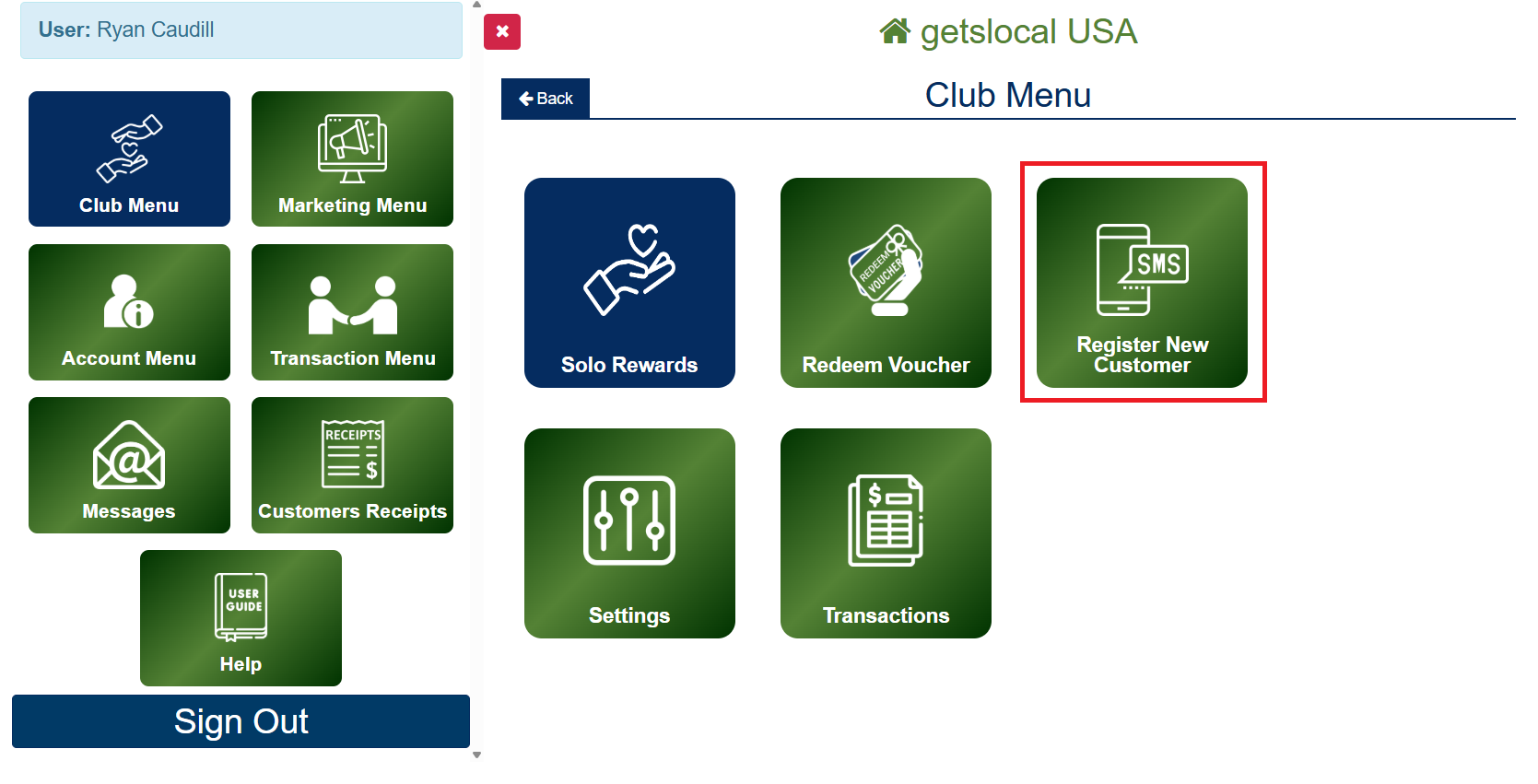
Go to Club Menu > Register New Customer.

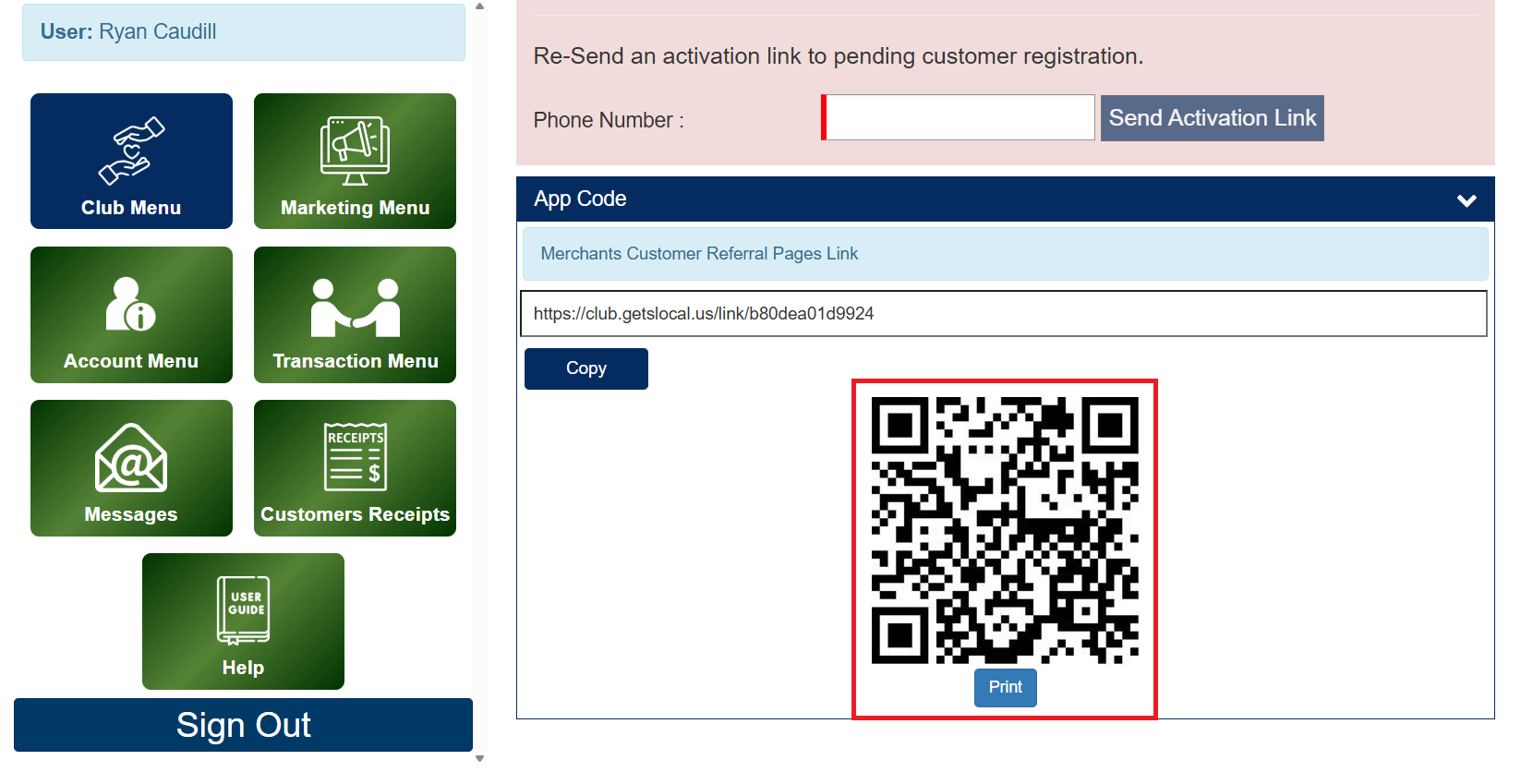
Locate the section labeled App Code.

You will see a unique referral link as well as a QR Code with a Print button. Tap Print.

Print your QR Code directly or save it as a PDF that can be attached on your own customer designs.

How to Access Your QR Code

Note on QR Code and Merchant Link

Make sure you display your QR Code in prominent and high traffic locations within your establishment so your customers can easily locate, scan, and register for your rewards club. Your unique merchant link can be used to embed into marketing material, social media post, or whatever medium you believe is effective to inform your customers and encourage them to register.

Note on Club Deals Only Accounts

Getting Started with the basic Club Deals Only Merchant Account? If so your QR Code and other features related to rewards will not be visible with your account. If you wish to upgrade to Club Deals + Club Rewards please contact us.

Need Ideas on How to Market Your New Club?

Learn More